
Download Clip2Net – Free Screen Capture Tool for Windows, Mac, Android & iOS
Clip2Net is a lightweight, free screen capture software designed for users who need a fast and secure way to capture, edit, and share screenshots across devices. Although primarily available for Windows, its simplicity and minimal footprint make it a go-to tool for photographers, designers, and everyday users alike. With just 1.3 MB of disk space, Clip2Net stands out among design and photography software, offering robust functionality without the bloat.
It’s especially popular in Ukraine, Romania, and Belarus, where users appreciate its no-install, no-registration approach. Since its debut in 2012, Clip2Net has been downloaded over 37,000 times, proving its enduring value. Whether you're capturing a tutorial, documenting a bug, or sharing a quick visual, Clip2Net delivers instant results with minimal effort.
Lightweight & Secure: The Perfect Free Screen Capture App for Windows
Clip2Net distinguishes itself in the crowded field of screen capture tools by being both incredibly lightweight and entirely secure. At just 1.3 MB, it uses minimal system resources, making it ideal for older PCs or devices with limited storage. Unlike many heavy-duty design and photography software that slow down your system, Clip2Net runs smoothly even on Windows 2000 and earlier versions—something rare in today’s software landscape. This makes it a perfect choice for users who prioritize speed and efficiency over flashy features.
One of the standout aspects of Clip2Net is its no-install, no-registration model. You can download the portable version and run it directly from a USB drive or desktop folder—no setup required. This not only enhances security (since no data is stored on your system) but also ensures that your privacy remains intact. Every capture is processed locally, and the app doesn’t collect user data or send screenshots to external servers unless you explicitly choose to share them.
For users seeking a reliable, free tool for quick screen captures, Clip2Net offers a clean, distraction-free interface. There are no ads, no pop-ups, and no hidden costs. It’s perfect for educators, remote workers, tech support teams, and content creators who need to capture and share visual information instantly. Whether you're troubleshooting an issue or creating step-by-step guides, Clip2Net ensures that your workflow remains uninterrupted. Its minimal design doesn’t sacrifice functionality—it’s simply built for speed and simplicity.
Easy Installation & Seamless Usage Across Devices
Getting started with Clip2Net is a breeze. Since it’s a portable application, there’s no traditional installation process. Simply visit the official download page, choose the correct version for your system (Windows 2000 or later), and run the executable file. No admin rights are required, which makes it ideal for use on shared or restricted computers like those in schools, libraries, or offices.
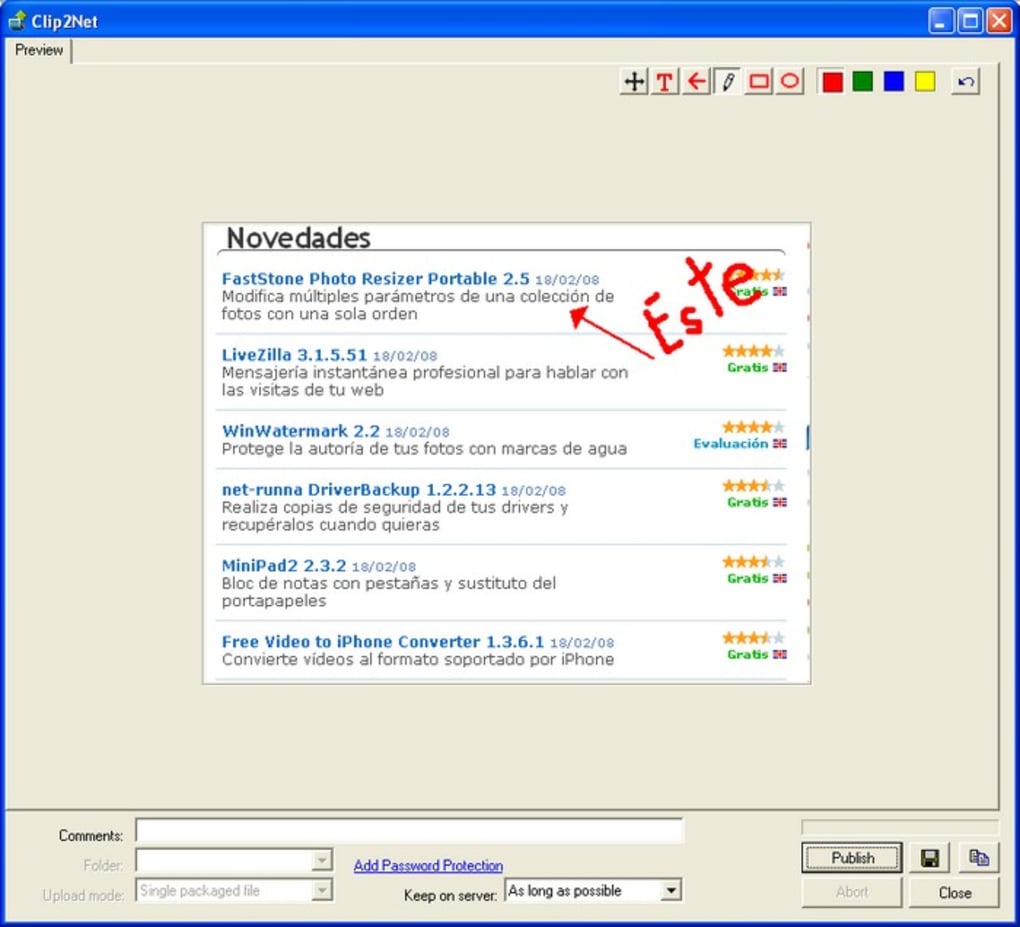
Once launched, Clip2Net appears as a small icon in your system tray. To capture a screenshot, press the designated hotkey (usually Ctrl+Shift+S), select the area you want to capture, and the image is instantly saved to your clipboard or a designated folder. You can then paste it directly into emails, documents, or messaging apps. The app also allows basic editing—crop, annotate, or add arrows—before sharing.
While Clip2Net is primarily designed for Windows, users on Mac, Android, and iOS can still benefit from its companion web service. After capturing a screenshot, you can upload it to the Clip2Net cloud platform and share a direct link via email or social media. This cross-platform functionality extends its usability beyond the desktop, making it a versatile tool for teams and individuals who work across multiple devices. Whether you're on a Windows laptop, a Mac, or using your smartphone, you can capture, edit, and share content seamlessly.
Compatibility & Key Features of Clip2Net
Clip2Net supports a wide range of operating systems, including Windows 2000 and later versions, ensuring accessibility for users with older hardware. While it doesn’t currently offer native apps for Mac, Android, or iOS, its web-based sharing platform bridges the gap, allowing cross-device collaboration. This hybrid approach makes it a practical choice for users who value flexibility and ease of access.
Here are the key features that make Clip2Net a top pick among free screen capture tools:
- Portability: No installation required—run directly from a USB drive or folder.
- Lightweight Design: Only 1.3 MB in size, perfect for low-end systems.
- Instant Capture: Use a hotkey to capture full screen, window, or custom regions.
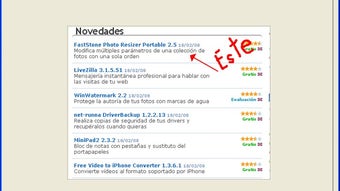
- Basic Editing Tools: Crop, annotate, add arrows, and highlight areas.
- Cloud Sharing: Upload screenshots to Clip2Net’s secure server and share links instantly.
- Multiple Languages: Available in English, Chinese (Simplified), Portuguese, and more.
- Privacy-Focused: No data collection, no ads, no registration required.
Pros & Cons of Clip2Net
Pros:
- Free to download and use with no hidden fees
- Extremely lightweight and fast
- Portable—no installation needed
- Secure and privacy-friendly
- Simple, intuitive interface
- Supports cross-platform sharing via web
Cons:
- Limited to Windows for native use
- No official Mac, Android, or iOS apps
- Basic editing features (no advanced tools)
- Last update was in 2012—no recent development
- No built-in image saving options (relies on clipboard or manual save)
Frequently Asked Questions (FAQ)
- Is Clip2Net safe to download and use?
Yes, Clip2Net is safe. It’s a lightweight, portable app that doesn’t install any software or modify system settings. It doesn’t contain malware, ads, or tracking scripts. All captures are processed locally unless you choose to upload them to the cloud.
- Can I use Clip2Net on Mac or Linux?
Clip2Net is only available for Windows. However, you can still use its web-based sharing service from any device with a browser. Simply capture your screen on Windows, upload the image, and share the link from your Mac, Linux, or mobile device.
- How do I share a screenshot from Clip2Net?
After capturing a screenshot, you can paste it into any app or save it manually. Alternatively, use the built-in upload feature to send it to Clip2Net’s secure cloud server and receive a shareable link via email or messaging apps.
- Is there a mobile version of Clip2Net?
There is no official mobile app for Android or iOS. However, you can access the Clip2Net web portal from your smartphone or tablet to upload and share screenshots captured on a Windows PC.
- Can I edit my screenshots in Clip2Net?
Yes, Clip2Net includes basic editing tools such as crop, annotate, add arrows, and highlight. While it doesn’t offer advanced photo editing, these tools are sufficient for quick annotations and visual explanations.
Final Verdict: Why Clip2Net Still Stands Out
Despite being last updated in 2012, Clip2Net remains a valuable tool for anyone seeking a fast, free, and secure screen capture solution. Its lightweight design, no-install approach, and privacy-focused model make it a standout in the world of design and photography software. While it lacks modern features and native support for Mac and mobile devices, its core functionality—capture, edit, share—works flawlessly.
If you're a Windows user who values simplicity and speed, Clip2Net is worth downloading. It’s ideal for educators, IT professionals, content creators, and anyone who needs to capture and share visual content without hassle. The fact that it’s free, secure, and doesn’t require registration is a major plus in today’s software landscape.
Ready to try it out? Download Clip2Net today and experience the power of instant screen capture—no strings attached.







